Free · v0.6.0 · 5.0 on Chrome Web Store
All your SEO diagnostics in one Chrome popup.
Stop juggling tabs. GSC, GA4, PageSpeed, On-Page Audit, Tag Assistant, Structured Data, and CallRail - organised into one focused, distraction-free view.
- Privacy-first - no external servers
- Works on any page instantly
- Free in beta
Built for
Built for modern marketing workflows.
Agency SEOs
Audit, diagnose, and report across client sites without switching tabs. Triage issues live.
In-house Marketing Teams
Check page health before a launch. Correlate GA4 spikes with indexing or on-page changes in seconds.
Solo Consultants & Freelancers
Deliver data-backed insights that make you look sharp - no enterprise tooling needed.
Founders & Growth Hackers
Get a pulse on your site's vitals - GSC clicks, GA4 sessions, Core Web Vitals - in one click.
What's inside
Eight diagnostics. One popup.
MOST-USED
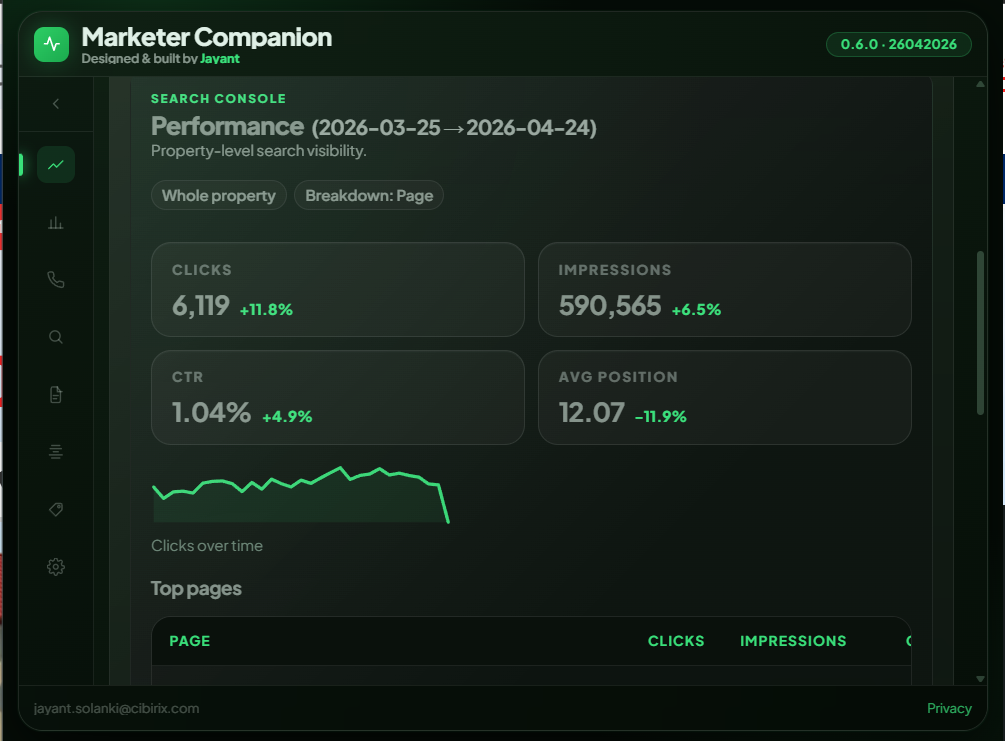
GSC Performance
Search visibility for any URL or property.
- Clicks, impressions, CTR & avg. position
- 7d / 30d / 90d / custom date ranges
- Trend chart + top pages breakdown
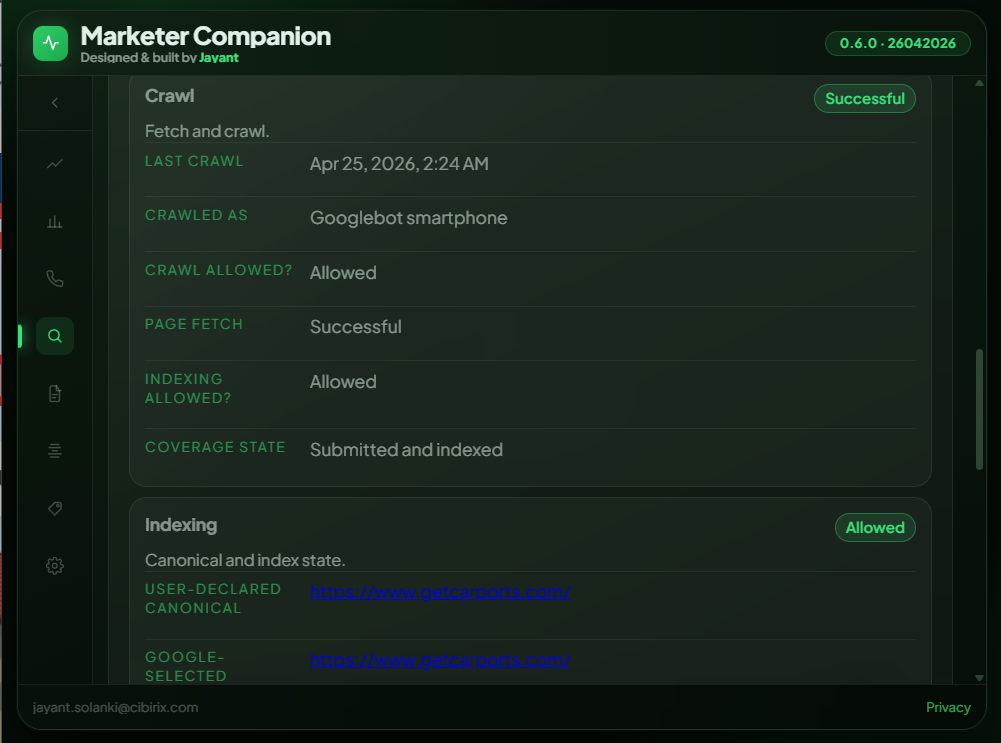
GSC URL Inspection
Live indexing status without leaving the page.
- Coverage state & crawl details
- Google & user-declared canonicals
- Last crawl time & crawl agent
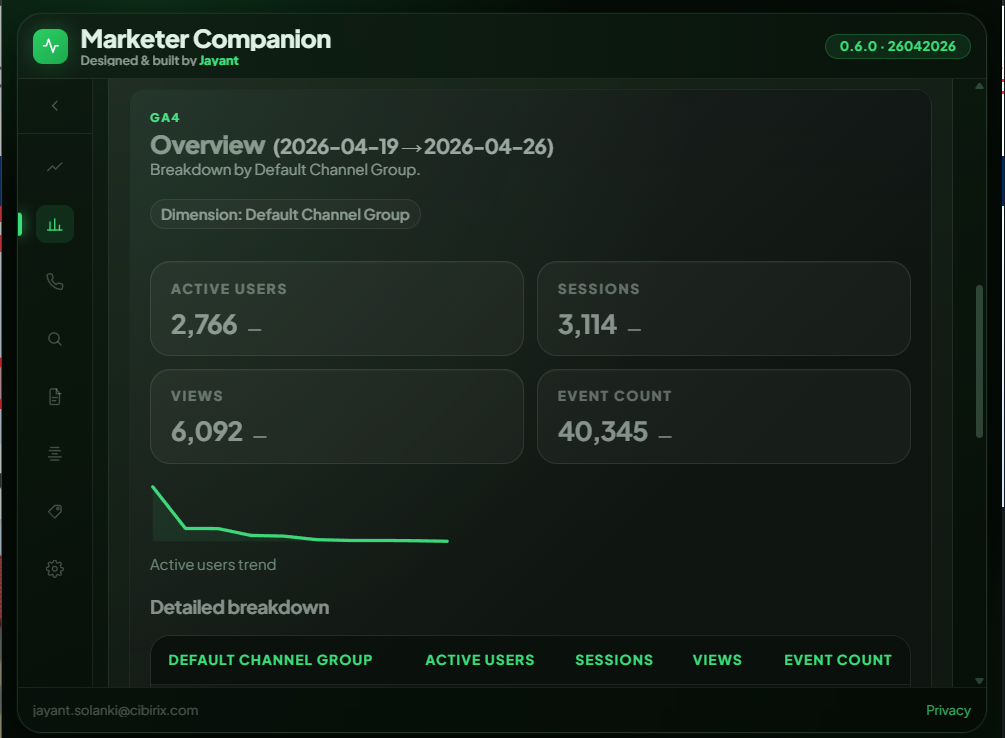
GA4 Analytics
Sessions, users, events - directly from GA4.
- Overview & Key Events modes
- Channel group breakdown
- Compare to previous period
PageSpeed / Core Web Vitals
Run Lighthouse for mobile & desktop on demand.
- LCP, INP, CLS scores
- Overall performance score
- Top optimisation opportunities
On-Page Audit
DOM-based checks across title, meta, headings, links.
- PASS / WARNING / ERROR / INFO scoring
- Title tag, meta description, URL length
- Heading structure & image alt coverage
Structured Data
Parse and display all schema on the current page.
- JSON-LD, Microdata & RDFa detection
- Schema card view, not raw JSON
- Links to Schema Validator & Rich Results
Tag Assistant
Surface every tracking tag firing on the page.
- GA4, GTM, Pixel & custom tag detection
- IDs, loaders, globals across all frames
- Frame-level tag inventory
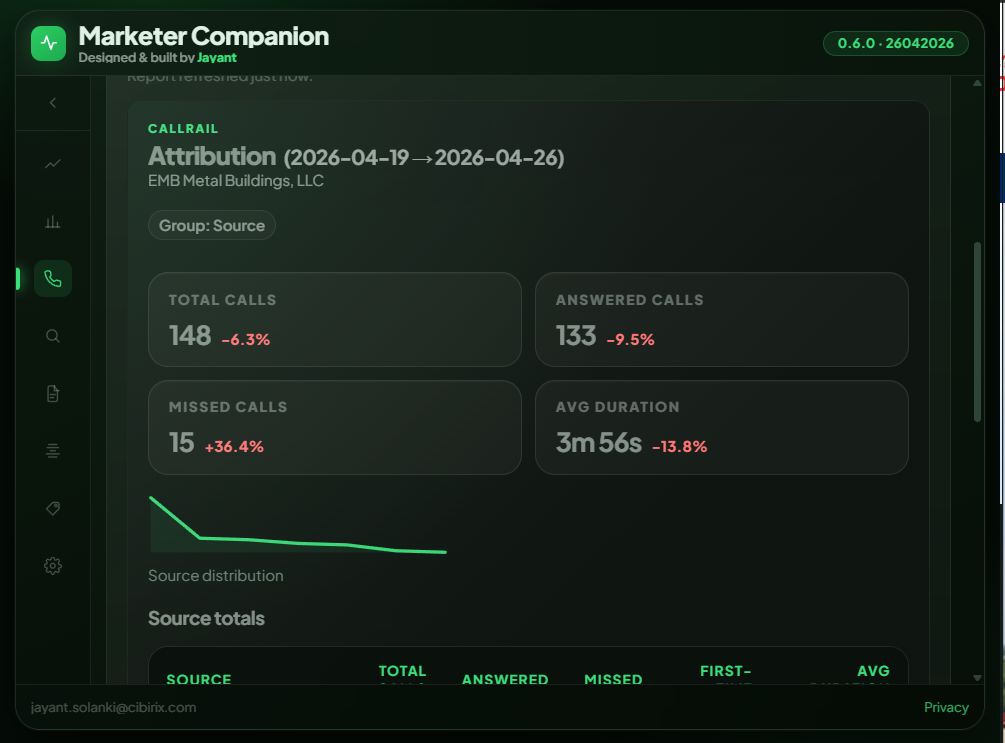
CallRail Attribution
Call-tracking data alongside your SEO metrics.
- Total, answered & missed calls
- Source attribution breakdown
- Avg. call duration & first-time callers
How it works
A deep look inside every tab.
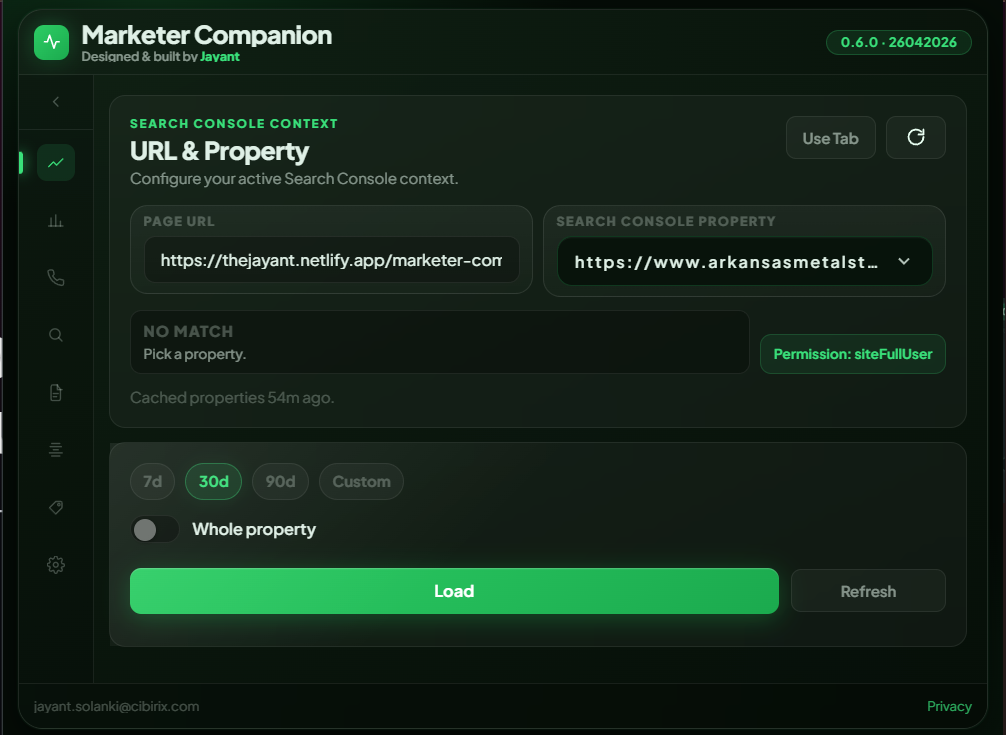
Real-time Search Console data in your popup.
Pull your property's search performance for any date range without opening a new tab. Switch between page-level and whole-property view, see clicks trend over time, and drill into top pages - all mid-workflow.
- Whole property or single URL
- Trend sparkline chart
- Top pages table with CTR
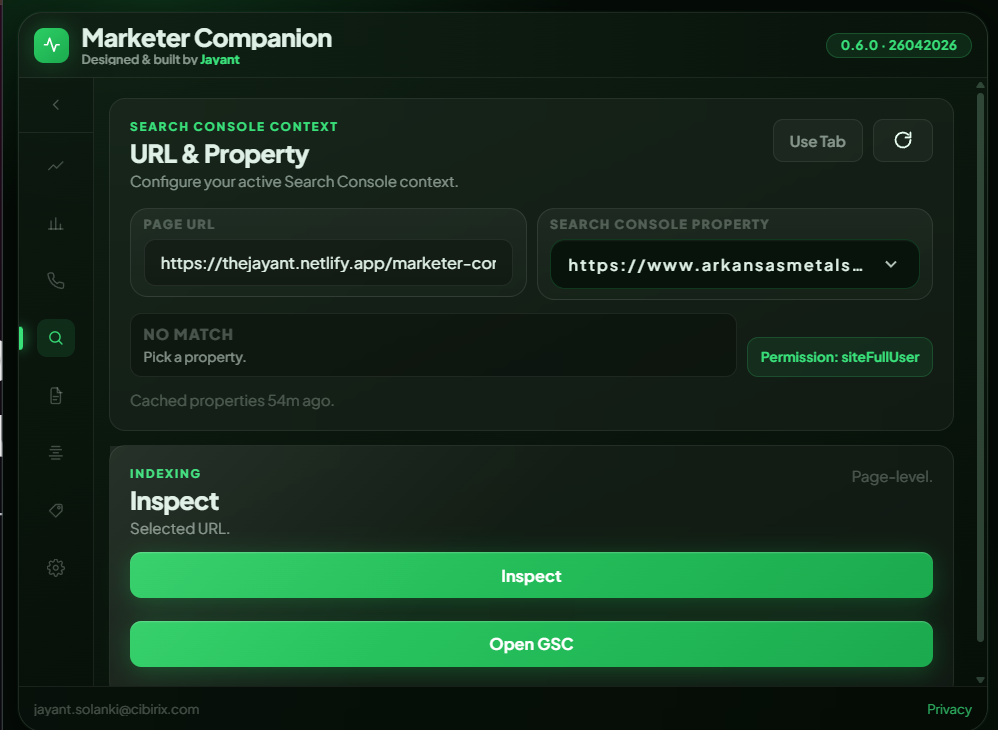
Know exactly how Google sees the page.
Trigger a live GSC URL Inspection for the current tab. See crawl date, crawl agent, page fetch result, indexing status, and both Google-selected and user-declared canonicals at a glance.
- Coverage state & crawl date
- Canonical validation
- Indexing allowed or blocked
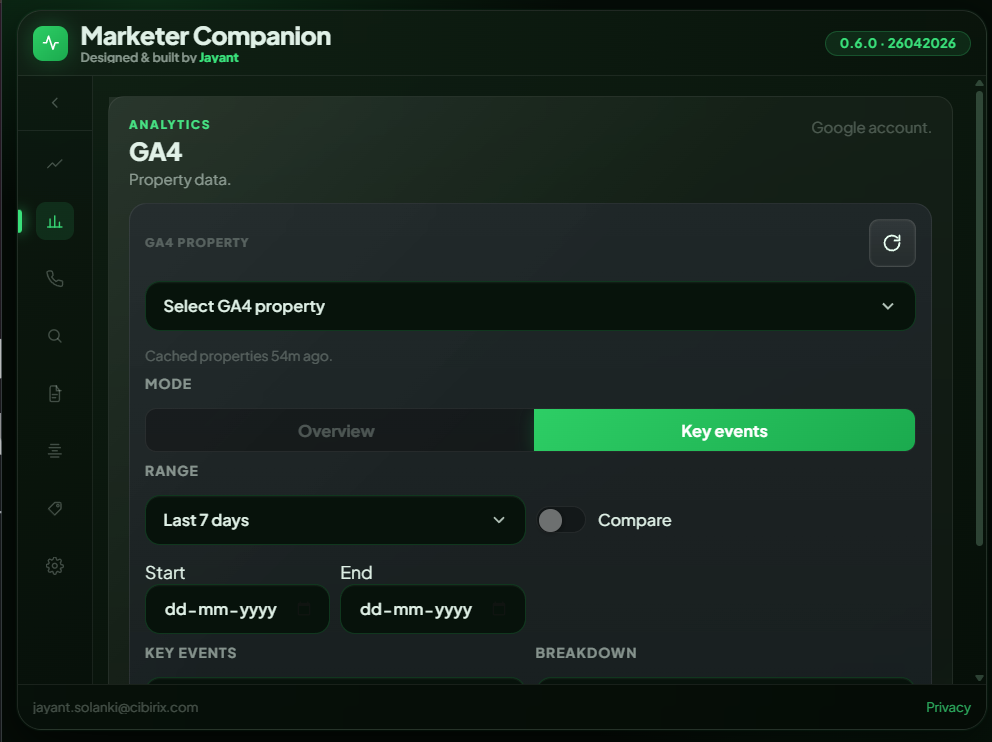
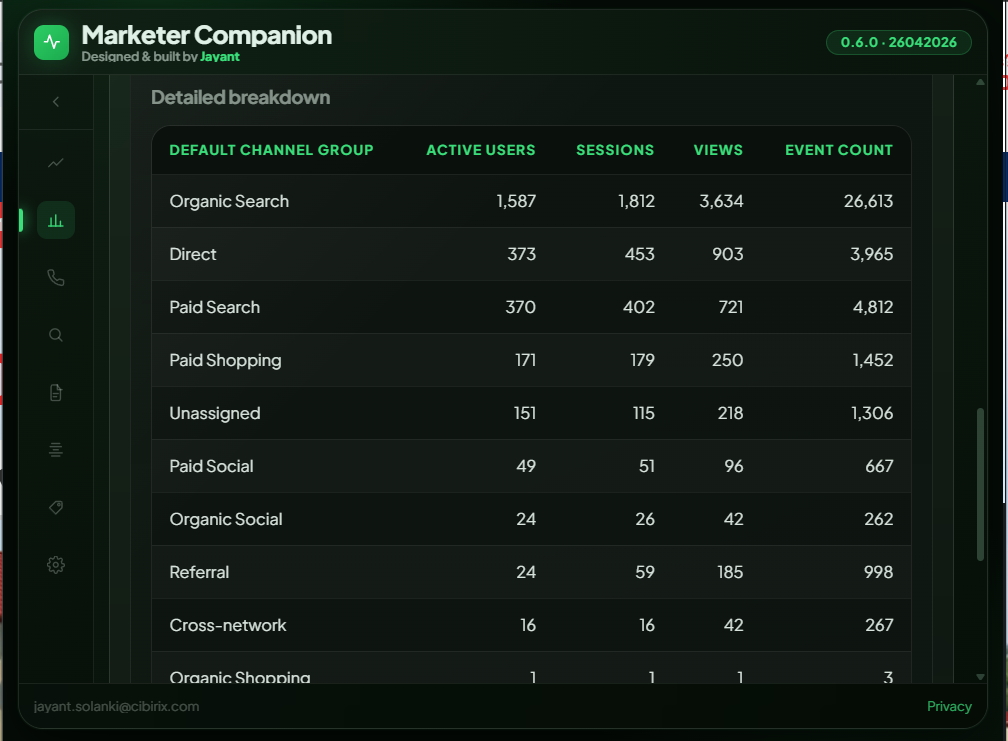
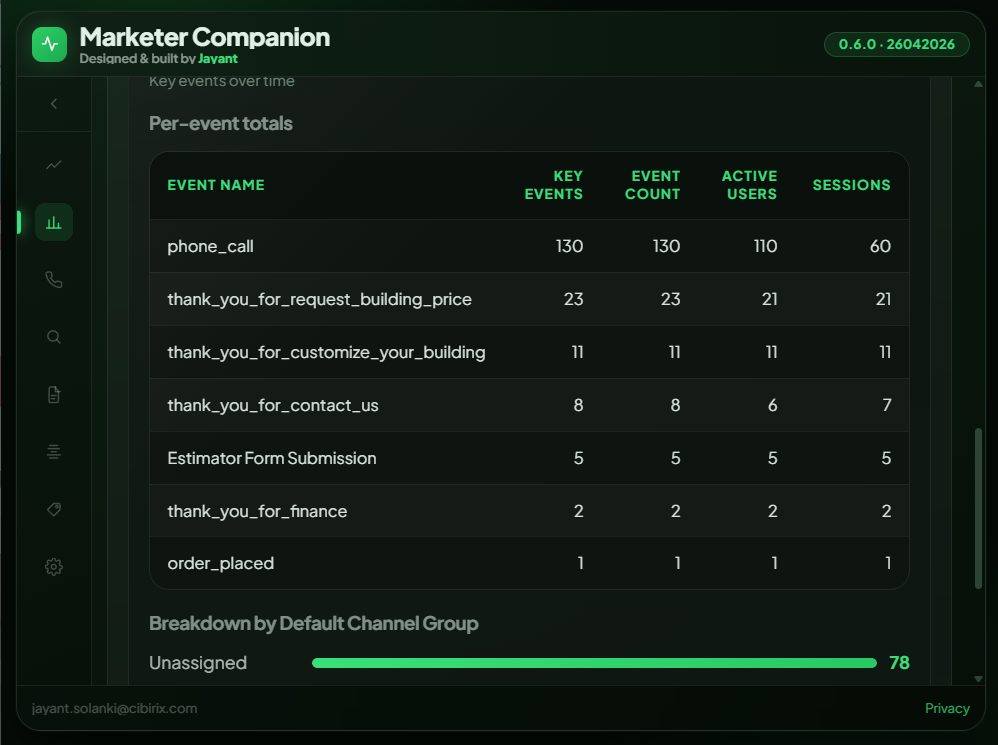
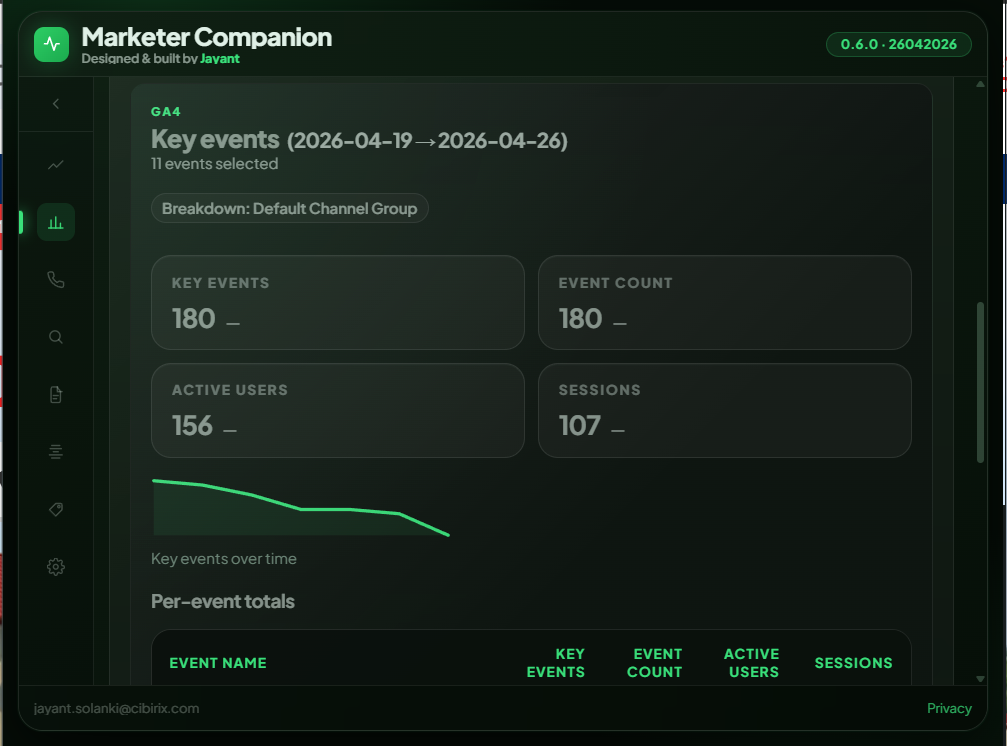
GA4 metrics without opening Analytics.
Pick Overview or Key Events mode. Load active users, sessions, views, and event counts with a channel group breakdown - then compare to the previous period. Export to CSV in one click.
- Overview & Key Events modes
- Default Channel Group breakdown
- Period comparison and conversion visibility
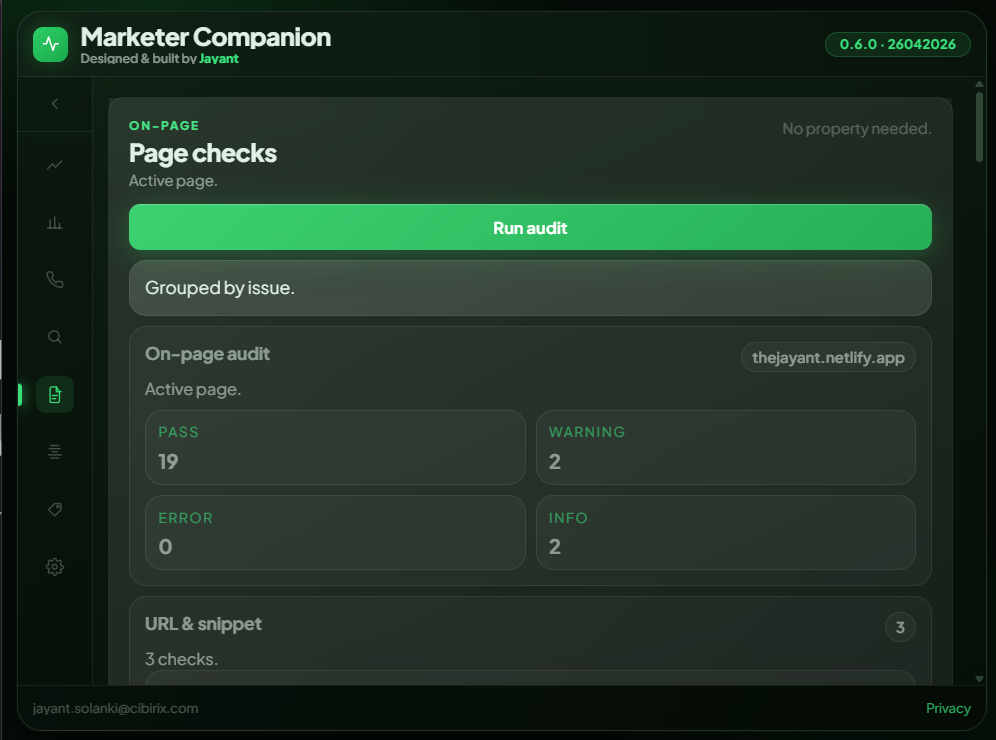
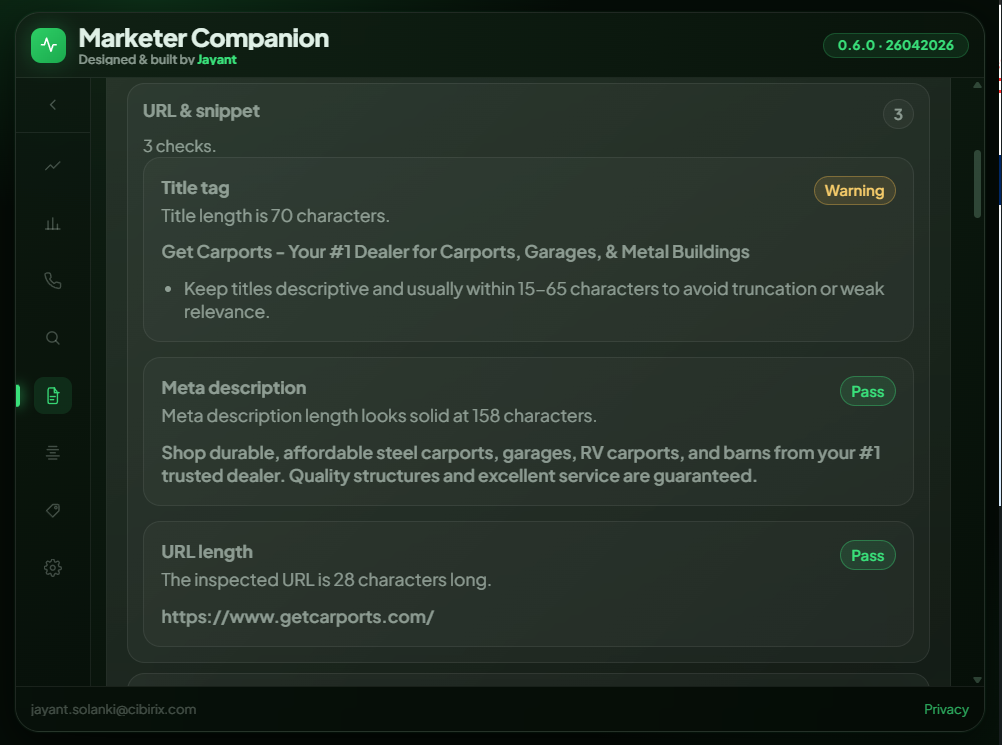
Instant on-page health check for any URL.
Click Run audit and get a scored breakdown of your page's on-page elements grouped by issue type. Title length, meta description quality, URL structure, heading hierarchy, and more - with actionable guidance on warnings.
- 19+ checks across URL, meta, headings, images
- PASS / WARNING / ERROR / INFO scoring
- No property needed - works on any page
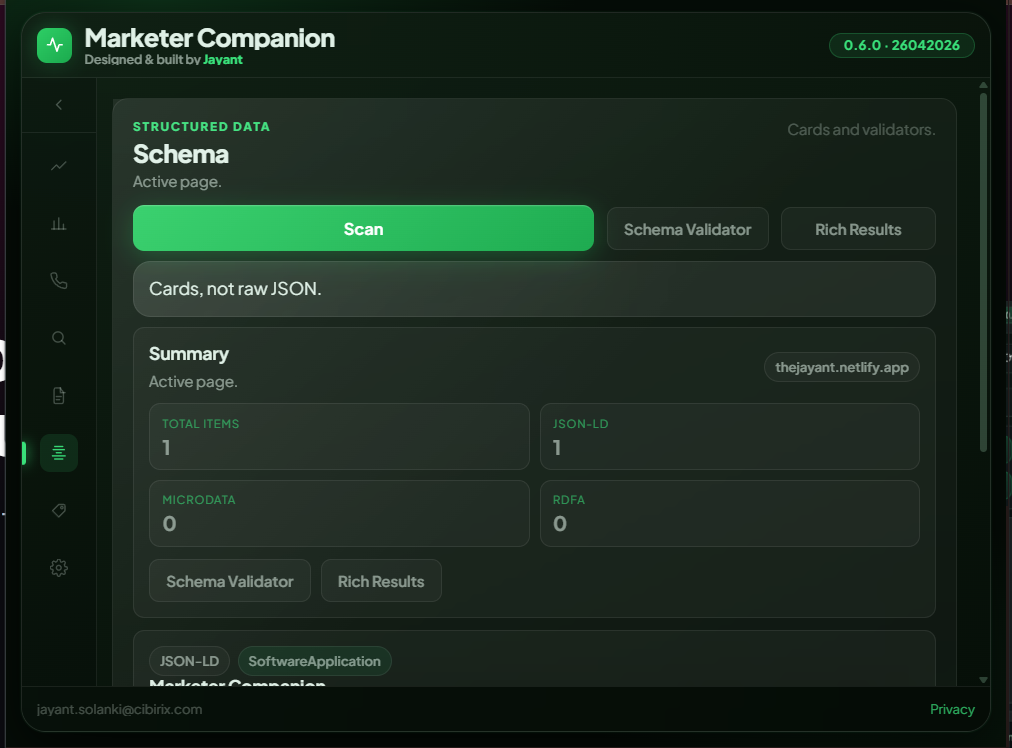
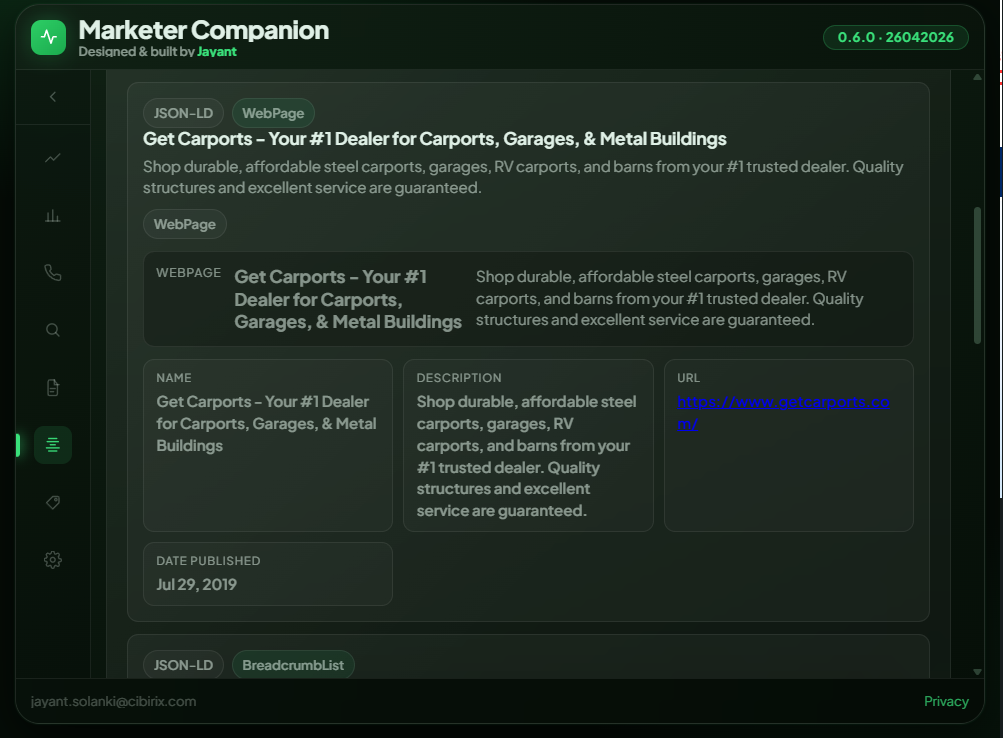
See every schema on the page - as readable cards.
Scan the active page for all structured data. Results are displayed as clean, readable schema cards, so you can instantly spot what schema types are implemented, their key fields, and click straight to Schema Validator or Google's Rich Results Test.
- JSON-LD, Microdata & RDFa
- Card view with key fields
- Direct links to Schema Validator & Rich Results
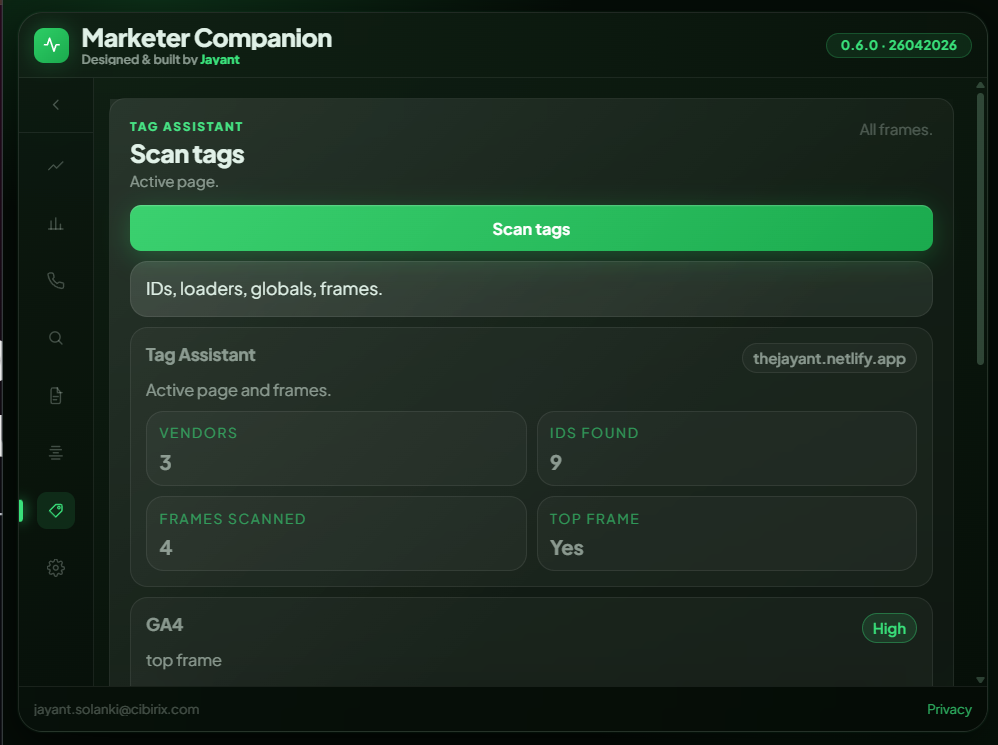
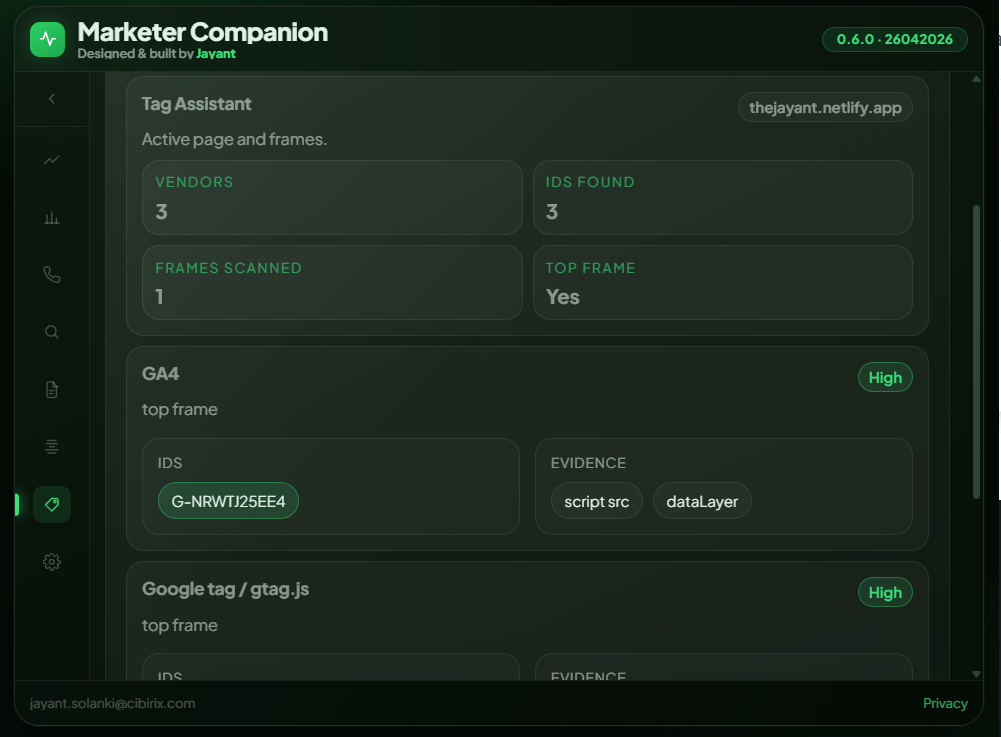
Find every tracking tag firing on the page.
Scan all frames on the current page to surface every analytics and marketing tag. See which GA4 IDs, GTM containers, Meta Pixels, or custom tags are present - with evidence and frame location.
- Vendor detection across all frames
- Tag IDs + evidence types
- High/Medium/Low confidence scoring
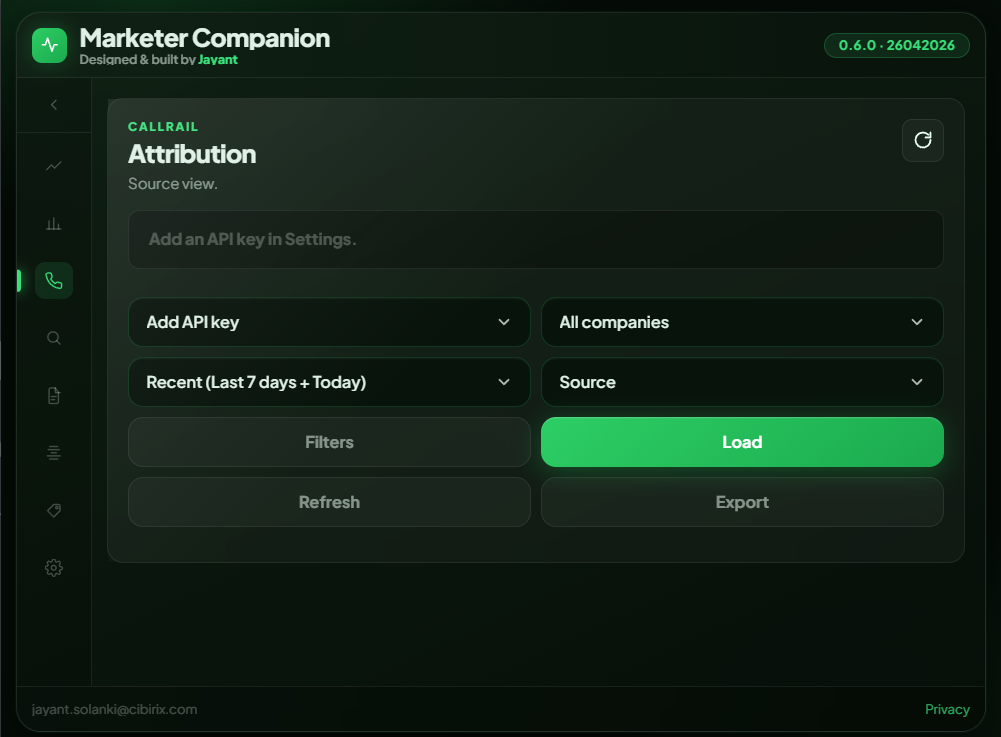
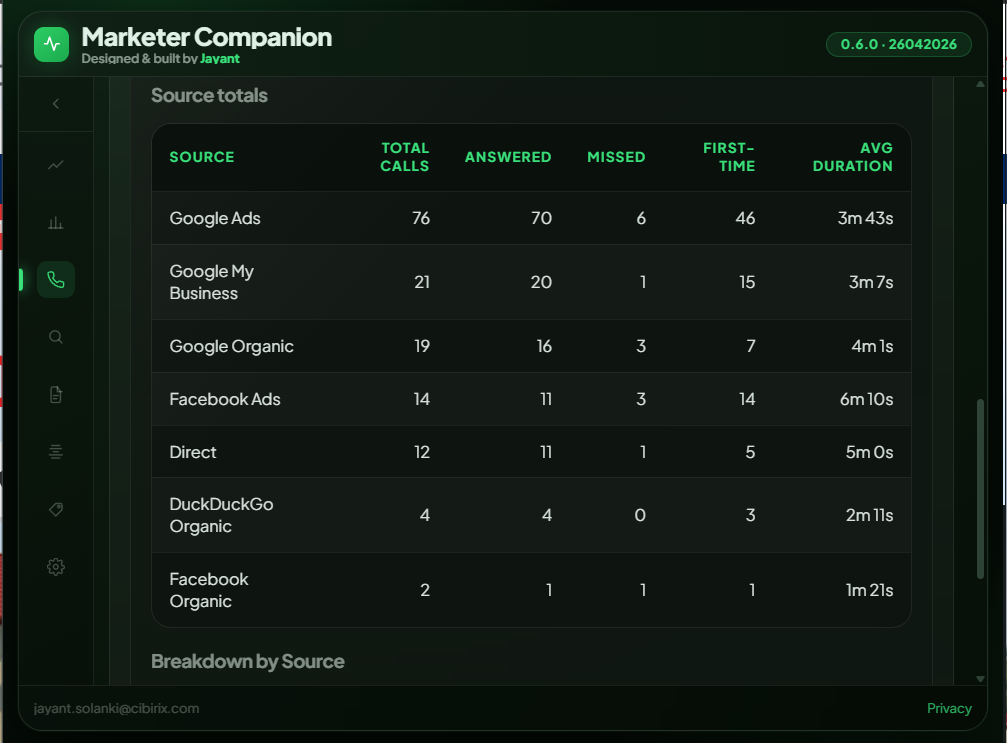
Call attribution data right beside your SEO metrics.
Connect your CallRail API key once in Settings. Then view total, answered, and missed calls with trend over time, grouped by source - Google Ads, Organic, Facebook Ads, Direct, and more.
- Total, answered & missed with % change
- Source attribution table
- Filter by company & date range
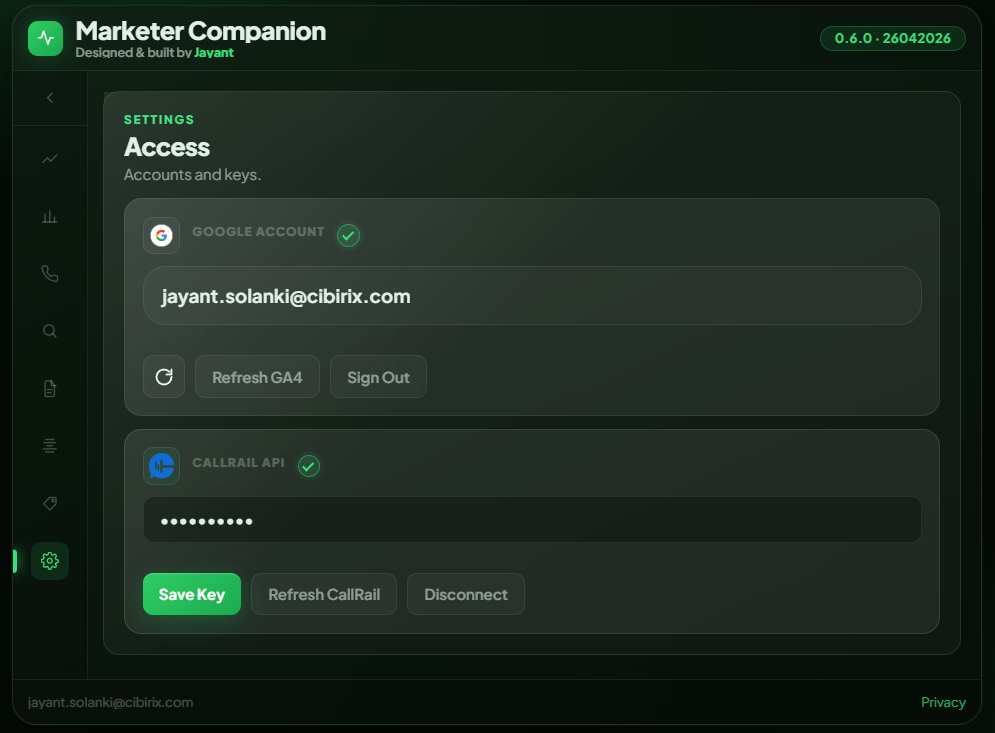
One-time setup. Everything connected.
Sign in with Google once to connect GSC and GA4. Add your CallRail API key to unlock call attribution. All credentials are stored locally in chrome.storage.local - never on external servers.
- Google OAuth in one click
- CallRail API key stored locally
- Sign out clears all tokens
One click. Total clarity.
Without Marketer Companion
- Open GSC in one tab, GA4 in another.
- Paste URL into PageSpeed manually.
- View page source to check meta tags.
- Screenshot and stitch reports together.
- Lose your train of thought again.
With Marketer Companion
- Open one popup on the page you're analysing.
- Click through Performance, Audit, Schema, Tags.
- Check GSC & GA4 without switching tabs.
- See CallRail attribution alongside organic metrics.
- Close popup. Next task. Done.
Quick start
Get started in 60 seconds.
Add to Chrome
Install from the official Chrome Web Store. It's free.
Connect Google (+ CallRail optional)
Sign in with the Google account that has GSC & GA4 access. Add CallRail for call attribution.
Start Auditing
Click the extension icon on any page. Instant insights across all 8 tabs.
Privacy-first
Your data stays yours.
Does
- Uses identity to sign you in with Google.
- Saves OAuth tokens in chrome.storage.local.
- Uses activeTab to know which URL you're auditing.
- Injects audit script only when you explicitly trigger it.
Never does
- Sends your GSC, GA4, or any data to external developer servers.
- Tracks your browsing history.
- Sells, shares, or analyses your data.
- Retains tokens after sign-out - everything is cleared.
Built by an SEO practitioner
"This extension was built from 6+ years of hands-on SEO work - solving the same daily frustrations you face."
Jayant Solanki
AI-Ready SEO, GEO & AIO Strategist
Experience: UAE · US · India · Global
Visit thejayant.netlify.app
iProspect India
WATConsult
Dentsu
Techmagnate
CIBIRIX
FAQ
Is it really free?
Yes. All eight features are free during the v0.x beta phase.
Will there be paid plans?
Paid power features like advanced automation, team workflows, and more data slices are planned later. The current core feature set will remain free.
What permissions does it need?
Four: identity for Google login, storage to stay logged in securely, activeTab to know which page, and scripting to run on-page/schema/tag audits on demand.
Does it store my GSC, GA4, or CallRail data?
No. All API calls go directly from your browser to Google's or CallRail's servers. No data passes through external servers. Everything clears on sign-out.
Will it slow down my browser?
No. It only activates on click. Audits run only when you trigger them. Zero background activity.
Does CallRail require a paid plan?
You need an active CallRail account with API access. The extension uses your own CallRail API key and never stores it beyond your local browser storage.
Turn every tab into a fast SEO control room.
The insights you need, right where you work. Ditch the tab-switching for good.
Takes under 30 seconds · Works with your existing GSC & GA4 setup · No data leaves your browser